 roomephant
Paste the product link
Amazon, Wayfair, IKEA, Article, most Shopify stores. Name, photos and dimensions load from the listing. No product page? Upload a product photo and we look up the size by name.
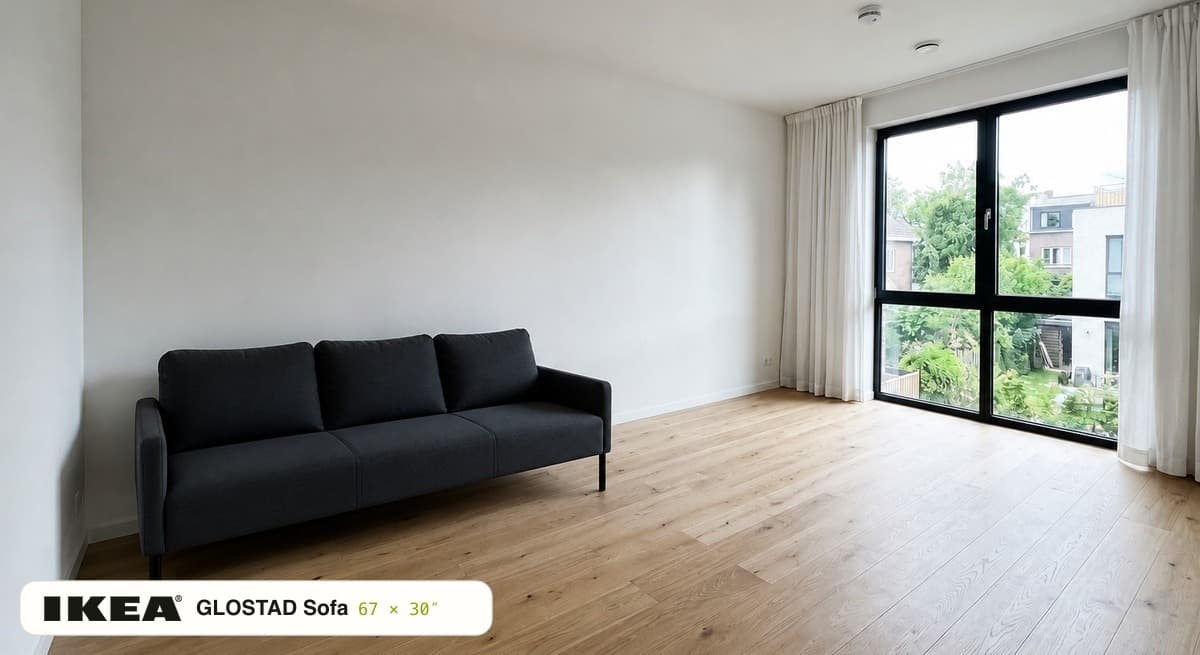
Roomephant takes a product from a store link and puts it into a photo of your client's room at the width, depth and height the listing gives. One photo, one link, a before-and-after link to send, in about thirty seconds. Free, no signup, nothing to install.
Amazon, Wayfair, IKEA, Article, most Shopify stores. Name, photos and dimensions load from the listing. No product page? Upload a product photo and we look up the size by name.
One ordinary phone photo works. Tap where the piece should go. If nothing in the room gives the scale away, calibrate with any object of known size.
The product lands in that spot at the listed dimensions, in the room's own light and perspective. Move it, try the next option from your shortlist, download the image.
Every preview has a before-and-after link that opens on a phone without an account. Three options means three links.
| Mood board and project tools (DesignFiles, Mydoma, Houzz Pro) | Product photos on a board and a client portal. The client sees the sofa on a white board, not in their room. |
|---|---|
| 3D planners (Foyr Neo, Spoak) | A 3D model of the room with catalog furniture. Photorealistic, but the catalog item stands in for the listing the client can buy. |
| AI restyling apps (RoomGPT, Interior AI) | Repaint the room in a style with furniture that does not exist in any store. |
| Roomephant | The listing's own product in the client's real photo, at the listed size. |
Previews are free with a daily limit. Higher limits, several products in one room and support are being built for designers. Tell us how many previews a project takes, and we will write when they are ready.
Yes. Paste the store link, add the room photo, tap the spot, and the product appears at the size the listing gives. The result opens as a link the client can view without an account.
Yes, width, depth and height come from the store page. The room scale is estimated from floor and ceiling lines, and you can calibrate with an object of known size. In a room we measured with a tape, three products landed within −5% to +15% of the truth; without a reference the spread is wider.
One product per preview today. Run three previews from the same photo and send three links. Several products in one room is on the early-access list.
No. The downloaded image and the shared result carry no watermark. The preview card a messenger shows next to the link has a small Roomephant mark.
Any product page with photos and dimensions: Amazon, Wayfair, IKEA, Article, most Shopify stores. For a trade-only vendor without a public page, upload a product photo and the size is looked up by name.
No. The link opens in a browser on any phone.
Previews are free with a daily limit. A plan for designers with higher limits, several products per room and support is in early access. The price is not set, and we will say so when it is.
Yes, that is the main case. A straight-on photo with the floor and one wall in frame scales best; the photo guide shows what to avoid. How to photograph a room for a preview